
LED Control System Collection: Senders, Processors, Receiving Cards and Players
Every control system we stock, in one place — 74 product pages across NovaStar, Colorlight, Huidu, Mooncell, RGBlink and VDWall, sorted by the job each box does in the signal chain.
An LED display is only as reliable as the chain feeding it. This collection index groups every controller, processor, receiving card and media player we carry by its role in that chain, so you can find the right part without guessing at model numbers. Each entry links to a full specification page.

What this page is: a categorised index of LED control system hardware — 74 published product pages across six brands, grouped by where each device sits in the signal path.
The four layers: a sending box or controller takes video from a source device and packetises it; an all-in-one or 2-in-1 processor scales, switches and layers that video before sending it; a receiving card sits inside each cabinet and drives the LED modules; an async player runs the screen on its own, with no PC attached.
Why the layer matters: the same screen can be driven a dozen different ways depending on whether it is a fixed indoor wall with a PC, a rental panel that tours, or a roadside sign that plays a playlist unattended.
What we stock: 27 NovaStar, 12 Huidu, 10 Colorlight, 13 Mooncell, 8 RGBlink and 4 VDWall products.
How to use it: find your screen type in the selection guide below, or jump straight to a category. If you are unsure which layer you need, the selection table maps screen scenarios to a specific control system.
What Is an LED Control System and What Are Its Four Layers?
An LED control system is the set of devices that carries video from a source — a laptop, camera, media server or network — to the individual LEDs inside a display cabinet. It is not one box. It is a chain, and each link has a different job.
Most buying mistakes happen because someone buys the wrong layer. A sending box does not scale video. A receiving card does not accept HDMI. An async player cannot genlock to a broadcast feed. Understanding the four layers prevents almost every mismatch.
| Layer | What it does | Typical input | Typical output | Sits where |
|---|---|---|---|---|
| 1. Sending box / controller | Captures video and packetises it for the wall | HDMI, DVI, SDI | Gigabit Ethernet ports | Rack or on the truss |
| 2. All-in-one / 2-in-1 processor | Scales, switches, layers, then sends — two jobs in one chassis | HDMI, DVI, SDI, DP, VGA | Ethernet ports and/or DVI | Rack, front of signal chain |
| 3. Receiving card | Receives the packet stream and drives LED modules in one cabinet | Ethernet from sender | Hub75 / module drive outputs | Inside every cabinet |
| 4. Async player / media player | Plays stored content on a schedule with no PC attached | USB, network, cloud, 4G | Ethernet or direct module output | At the screen, unattended |
Rule of thumb: if the screen has a PC attached and changes content live, you need layers 1–3. If it plays a fixed playlist on a timer with nobody present, you need layers 3–4 and can skip the processor entirely.
If you are new to the category, the LED video processor guide explains the difference between processing and sending in more depth, and how to connect an LED controller walks through the physical wiring order.
Sending Boxes and Controllers: Getting Video Into the Wall
A sending box is the workhorse of a fixed installation. It takes one or more video inputs, packetises the frame, and pushes it out over Gigabit Ethernet to the receiving cards. It does not scale or layer — that is the processor’s job — but modern sending boxes add useful extras like a built-in LCD for configuration, front-panel control without a laptop, and genlock for broadcast.
NovaStar’s MCTRL family is the most widely deployed line in the industry, which matters for spares availability and technician familiarity. The range runs from the compact single-port units up to the 16-port 4K flagship.
MCTRL300
Entry-level single-output sender for small fixed screens and simple signage.
MCTRL600
Mid-range sender, the common default for indoor commercial walls.
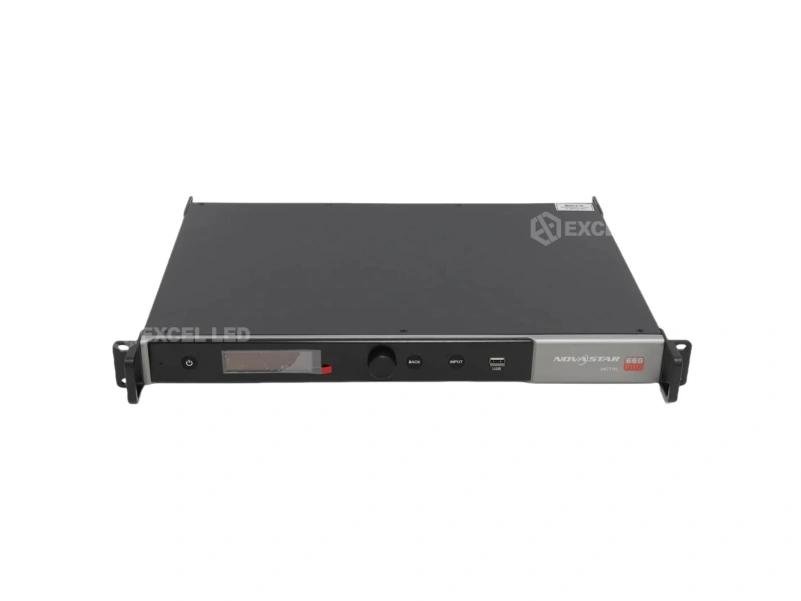
MCTRL660
Independent master controller with an LCD interface for standalone operation.
MCTRL660 PRO
Adds genlock and SDI for broadcast studios and live production.
MCTRL4K
Flagship 4K@60Hz sender with 16 ports and 3D support for very large walls.
MCTRL R5
Eight EtherCON ports built for rental and touring abuse.
| Product | Role | Best for |
|---|---|---|
| NovaStar MCTRL300 | Entry sending box | Small fixed screens, single-output jobs |
| MCTRL600 | Mid-range sending box | Indoor commercial walls |
| MCTRL660 | Master controller | Standalone operation with LCD HMI |
| MCTRL660 PRO | Broadcast sender | Studios needing genlock and SDI |
| MCTRL4K | 4K flagship sender | Very large walls, 3D, 16 ports |
| MCTRL R5 | Rental sender | Touring and events |
| Mooncell MTB2000E | Network sending controller | Cost-sensitive fixed installs |
| Mooncell MTB400E | Compact sending controller | Small to mid screens |
| Mooncell MB400S | Network controller | Networked multi-screen sites |
For a deeper brand-level walkthrough, see the Huidu LED controller guide and the Colorlight controller price breakdown.
All-in-One and 2-in-1 Video Processors: Processing Plus Sending
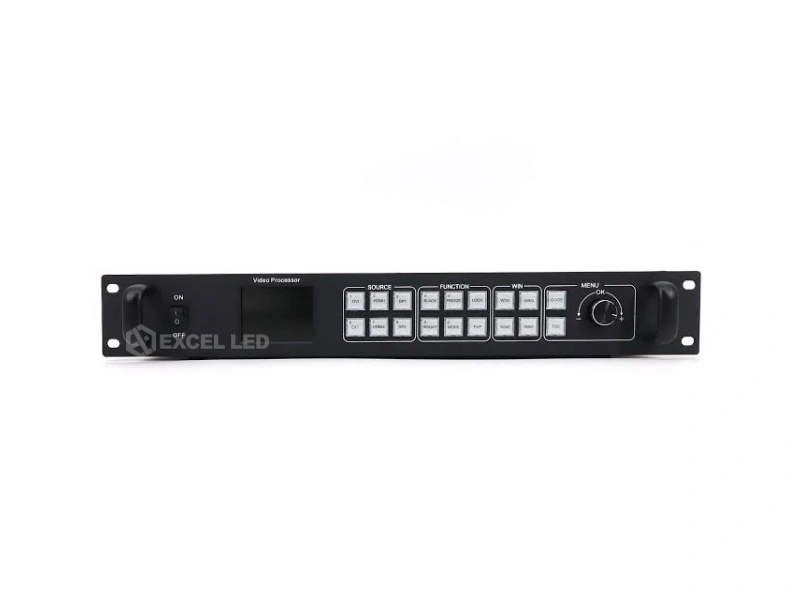
An all-in-one processor combines the video processor and the sending box in a single chassis. You plug sources directly into it and it drives the receiving cards straight away — no separate sender, one rack unit instead of two, and one piece of software to configure.
These are the right choice when a screen needs multiple sources, picture-in-picture, seamless switching between inputs, or scaling to a non-standard canvas. They are also the layer where brand differences are most visible: some are optimised for broadcast, some for rental, some for fixed commercial installs.
NovaStar VX Series
VX4S-N through VX16S: processor and sender combined, from 4-port to 16-port 2U flagship.
Mooncell MVB Series
MVB4S Pro, MVB12E and MVB20E-G — 2-in-1 processing with an eye on budget.
Colorlight X Series
X2, X4, X8M, X16 and Z6 Pro covering small installs to large walls.
Huidu HD-VP Series
HD-VP210, VP410, VP620 and VP830 for straightforward commercial work.
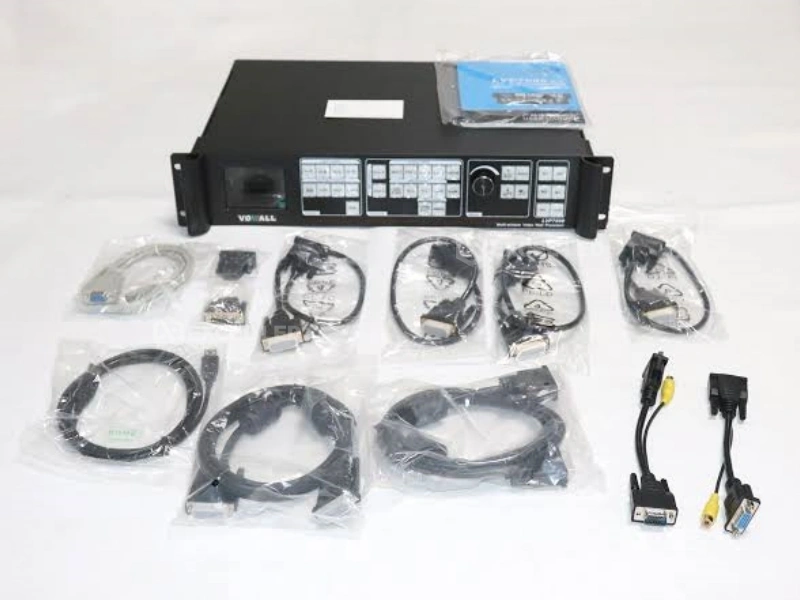
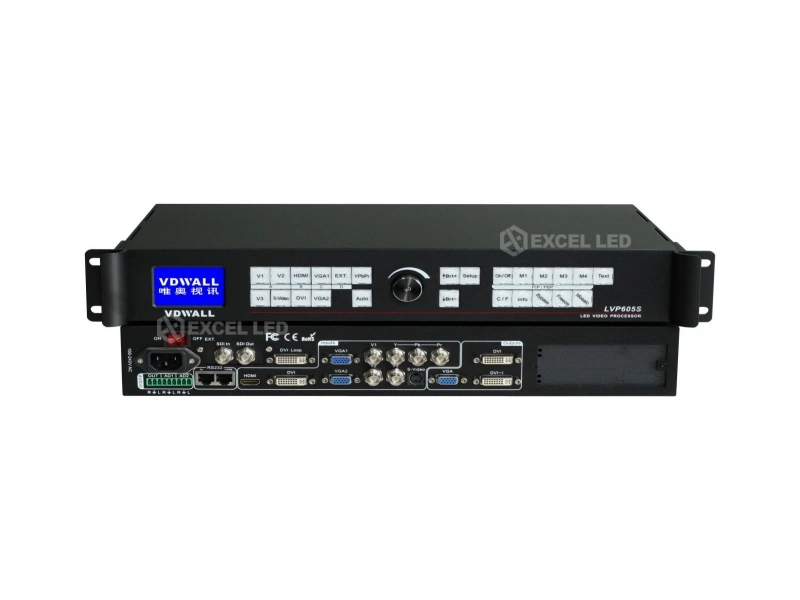
VDWall LVP Series
LVP100, LVP605, LVP615S and LVP909 — a long-established processor line.
RGBlink X Series
X1, X2 and X3 modular processors for very large and complex canvases.
| Product | Type | Best for |
|---|---|---|
| NovaStar VX4S-N | 2-in-1 processor + sender | Small walls needing PiP |
| NovaStar VX600 | 2-in-1, 6-port | Mid-size commercial walls |
| NovaStar VX1000 | 2-in-1, 10-port, 4x SDI | Broadcast and control rooms |
| NovaStar VX16S | 2-in-1, 16-port, 2U | Very large walls |
| NovaPro UHD Jr | 4K 2-in-1, 16-port | 4K workflows, 3D, BKG capture |
| Colorlight X2 | Processor | Entry commercial screens |
| Colorlight X4 | Processor | Small to mid walls |
| Colorlight X8M | Processor | Larger canvases |
| Colorlight X16 | Multi-window processor | Complex multi-source walls |
| Colorlight Z6 Pro | Professional processor | Demanding fixed installs |
| Huidu HD-VP210 | Processor | Simple commercial screens |
| Huidu HD-VP410 | Processor | Mid-size indoor walls |
| Huidu HD-VP620 | Processor | Multi-source indoor work |
| Huidu HD-VP830 | 4K processor | High-resolution commercial walls |
| VDWall LVP100 | Compact processor | Small and storefront screens |
| VDWall LVP605 | Processor, cascade capable | Classic multi-unit fixed installs |
| VDWall LVP615S | HD processor | Large walls via DVI loop cascade |
| VDWall LVP909 | Multi-output processor | 2/3/4-channel splicing, multi-window |
| Mooncell MVB4S Pro | 2-in-1 processor | Budget fixed installs |
| Mooncell MVB12E | 2-in-1 processor | Mid-size walls |
| Mooncell MVB20E-G | 2-in-1 processor | Larger canvases |
| Mooncell M40 | 2-in-1 processor | Compact installations |
| Mooncell V Series | Video splicer | Splicing and multi-screen work |
Comparing within the category? The LED video splicer guide and the Mooncell 2-in-1 processor comparison go deeper on splicing and 2-in-1 selection, while Colorlight’s processor guide covers that line in detail.
Receiving Cards: The Last Link Before the LEDs
A receiving card lives inside each cabinet. It accepts the Ethernet stream from the sending box, decodes it, and drives the LED modules through hub outputs. One card typically drives one cabinet, so a large wall can contain hundreds of them — which makes receiving cards the single highest-count component in most projects, and the place where small unit-price differences become large budget differences.
Three things matter when specifying: resolution capacity (how many pixels one card can drive at your refresh rate), port count and hub type, and whether you need the extended features like per-cabinet calibration storage or high-refresh support for on-camera work.
| Family | Models | Positioning |
|---|---|---|
| NovaStar MRV208 | MRV208 | Entry NovaStar receiving card |
| NovaStar MRV328 | MRV328 | Mid-range, widely deployed |
| NovaStar MRV336 | MRV336 | Higher capacity per card |
| NovaStar MRV412-N | MRV412-N | High-end MRV tier |
| NovaStar MRV416 | MRV416 | Top of the MRV line |
| NovaStar DH7508 | DH7508 | Cost-effective DH tier |
| NovaStar DH7512 | DH7512 | DH tier, 12 ports |
| NovaStar DH7516 | DH7516 | DH tier, 16 ports |
| NovaStar AT20 | AT20 | Premium AT series |
| NovaStar AT30 | AT30 | Premium AT series, highest tier |
| Colorlight i5A-905 | i5A-905 | Entry Colorlight card |
| Colorlight i5A-F | i5A-F | Compact Colorlight card |
| Colorlight i6 | i6 | Mid-range Colorlight |
| Colorlight i9 | i9 | High-end Colorlight |
| Colorlight i9+ | i9+ | Top Colorlight tier |
| Mooncell A712 | A712 | Mooncell receiving card |
| Mooncell A10X | A10X | Higher-capacity Mooncell card |
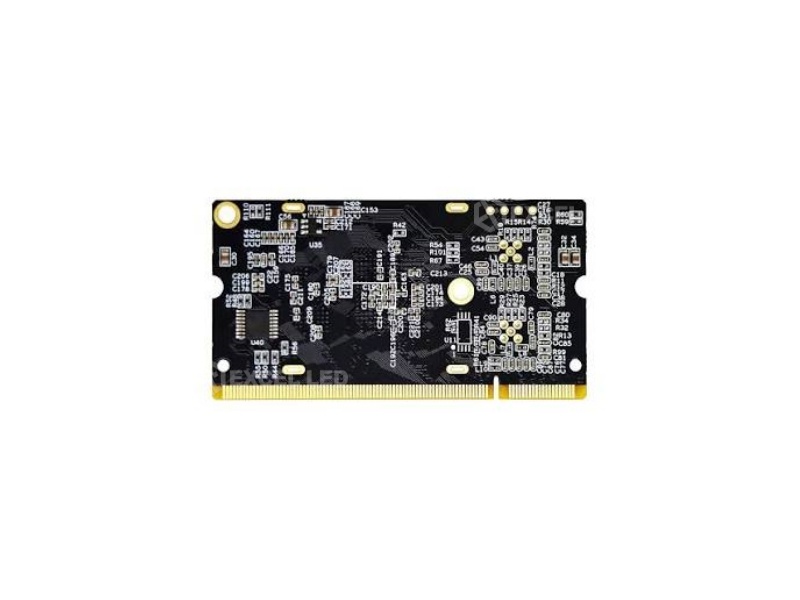
Choosing between the NovaStar tiers is a common sticking point — the MRV vs DH vs AT comparison breaks down the differences, and the Colorlight receiving card guide covers the i-series. There is also a head-to-head on the Mooncell A10X vs A712. For a sanity check on quantities, see how many receiving cards an LED wall needs.
Async Players and Media Players: Running the Screen Without a PC
An asynchronous player stores content onboard and plays it to a schedule. No computer is attached, nothing needs to stay powered on behind the screen, and content updates arrive by USB stick, network, WiFi or 4G. This is the standard architecture for advertising signage, storefront screens and any display where the content changes on a timetable rather than live.
The trade-off is latency and interactivity: async players are not suitable for live video, camera feeds or anything requiring genlock. If the screen shows live content, you want the synchronous path through a processor instead. That distinction is covered in the synchronous vs asynchronous control comparison.
| Product | Type | Best for |
|---|---|---|
| NovaStar Taurus TB1 | Multimedia player | Standalone playback with 4G and WiFi |
| NovaStar Taurus TB2 | Multimedia player | Small signage screens |
| NovaStar Taurus TB3 | Multimedia player | Retail and brand signage |
| NovaStar Taurus TB6 | Multimedia player | Larger single screens |
| NovaStar Taurus TB40 | 4K player, USB 3.0 | High-resolution playback |
| NovaStar Taurus TB50 | 4K player, global certified | International deployments |
| Huidu HD-A3 | Async controller | Entry async signage |
| Huidu HD-A5 | Async player | General signage |
| Huidu HD-A6L | Async player | Higher-capacity async work |
| Huidu HD-C16C | Async control card | Embedded signage control |
| Huidu HD-C36C | Async control card | Larger async installations |
| Mooncell MB401 | Media player | Networked playback |
| Mooncell MC-C2 | Multimedia server | Centralised content management |
| Mooncell B1200S | Sphere controller | Spherical and creative LED shapes |
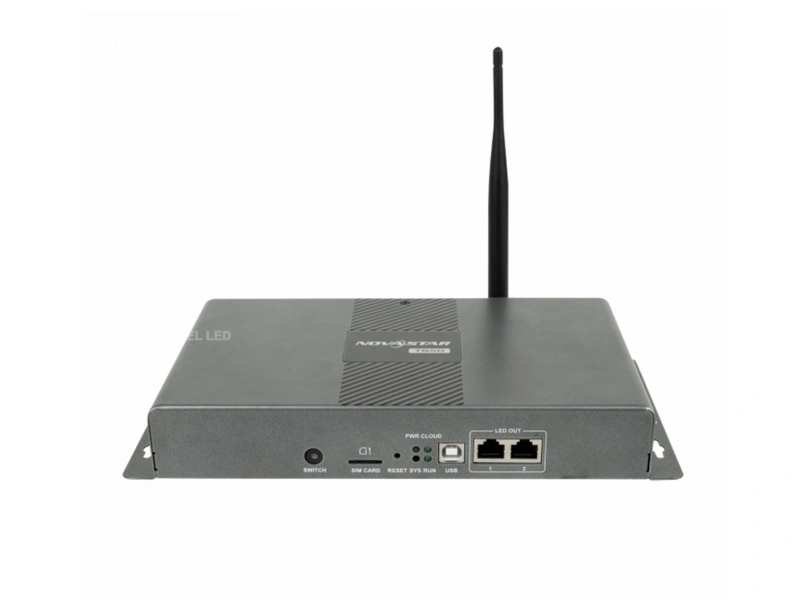
Single-colour and small signs: Huidu’s HD-W00, HD-W60 and HD-W62 cover single and dual-colour text signs that a full colour control system would be overkill for.
For content planning on this class of hardware, see the LED display media player guide and the LED poster display guide. Cloud-managed signage is covered in LED cloud control systems.
Modular and Rental Processors: When the Show Must Travel
Rental and touring work puts different demands on a processor. It has to survive truck packs and load-ins, be reconfigured quickly for a different screen shape every week, and provide the multi-window layering that live production expects. That is a separate design brief from a permanent install.
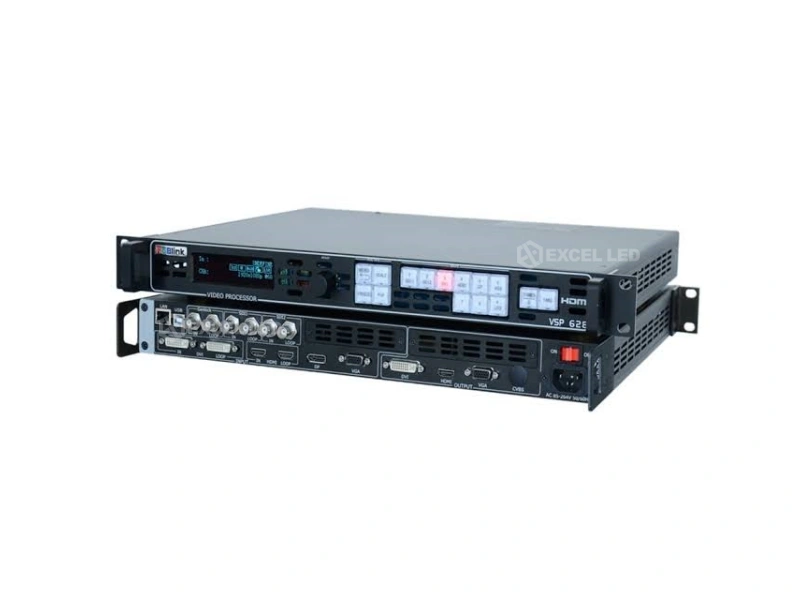
RGBlink covers this ground from three angles: portable switchers for lightweight streaming and meeting work, the long-running VSP 628Pro for rental and engineering projects, and the modular X series for very large canvases where input and output cards are swapped to suit the job.
RGBlink Mini Series
Mini, Mini Pro and Mini Edge — portable switchers for streaming, live events and lightweight meetings.
RGBlink VSP 628Pro
A long-standing rental and engineering processor, widely known in the B2B event market.
RGBlink X Series
X1, X2 and X3 modular processors for very large LED engineering projects.
RGBlink M1
Multi-window control for professional studio environments.
| Product | Type | Best for |
|---|---|---|
| RGBlink Mini ISO | All-in-one switcher | Portable streaming setups |
| RGBlink Mini Edge | Portable switcher | Lightweight live production |
| RGBlink Mini Pro | Streaming switcher | Live streaming and events |
| RGBlink VSP 628Pro | Rental processor | Rental, staging, engineering |
| RGBlink X1 | Modular processor | Large fixed walls |
| RGBlink X2 | Modular processor | Very large canvases |
| RGBlink X3 | 4K modular processor | Top-tier engineering projects |
| RGBlink M1 | Multi-window processor | Studio and broadcast |
For the rental-specific workflow, the LED screen for events and concert LED display pages cover how the rest of the rig fits together.
How to Choose the Right LED Control System for Your Screen
Work backwards from the screen, not forwards from the spec sheet. Four questions resolve almost every selection: is the content live or stored, how many sources need to coexist, how big is the canvas, and does the screen travel.
| Your situation | Layer you need | Starting point |
|---|---|---|
| Small fixed screen, one laptop source | Sending box only | MCTRL300 |
| Indoor commercial wall, one or two sources | Sending box | MCTRL600 |
| Multiple sources with seamless switching | All-in-one processor | Colorlight X4 |
| Broadcast or studio with genlock | Processor with SDI + genlock | MCTRL660 PRO |
| Very large wall, 4K source | 4K processor + sender | NovaPro UHD Jr |
| Multi-window control room | Multi-window processor | VX1000 |
| Rental and touring | Rugged sender + rental processor | MCTRL R5 |
| Advertising sign, no PC on site | Async player | Taurus TB40 |
| Single or dual-colour text sign | Sign controller | Huidu HD-W00 |
| Budget fixed install | 2-in-1 processor | Mooncell MVB4S Pro |

When you should not buy a processor: if the screen only ever shows a looping playlist with no live content, an async player plus receiving cards is cheaper and more reliable than a full processing chain. Adding a processor you will never switch is wasted budget and one more failure point.
NovaStar vs Colorlight vs Huidu vs Mooncell: What Actually Differs
All four brands make hardware that works. The differences that affect a project are ecosystem, software, spares and pricing tier — not raw capability.
| Brand | Strengths | Consider when |
|---|---|---|
| NovaStar | Largest installed base, deepest product ladder from entry to 4K, strong rental and broadcast lines | You want maximum technician familiarity and spares availability |
| Colorlight | Strong processor range, competitive receiving cards, well known in fixed commercial work | Price-performance matters and the installer knows the ecosystem |
| Huidu | Excellent async and signage coverage, strong on single and dual-colour signs | The screen is unattended signage or a text sign |
| Mooncell | Cost-effective 2-in-1 processors and controllers | Budget is the binding constraint on a fixed install |
| RGBlink | Rental, modular and portable switching expertise | The show travels or the canvas is unusually large |
| VDWall | Long-established processor line with cascade and splicing heritage | You need multi-unit cascade or multi-channel splicing |
For a neutral, side-by-side technical read, see the NovaStar vs Colorlight vs Linsn comparison. If you are starting from scratch on the topic, LED control system fundamentals and the control system deep dive cover the architecture, and the Mooncell controller guide covers that brand end to end.
Wiring and Commissioning an LED Control System Step by Step
The physical order never changes, whatever brands you use. Work through it in sequence and most commissioning problems never appear.
- Mount the receiving cards in every cabinet and confirm the hub ribbon orientation before the cabinets go up. A reversed ribbon is the single most common cause of a dead cabinet on first power-up.
- Map the cabinet layout and record the port and card position of every cabinet. You will need this map for the software mapping step, and again for any future service visit.
- Cascade the Ethernet run from the sending box through the cabinets in the order your map specifies, respecting each port’s pixel capacity limit.
- Connect the video source to the sending box or processor input, and verify the source resolution and refresh rate against the controller’s supported input list.
- Power on and set the receiving card parameters — cabinet resolution, data group order, and the module scan configuration for the specific LED modules in use.
- Map the screen so the software knows which card drives which physical position. For large walls, use the controller’s auto-mapping or a saved configuration file rather than manual entry.
- Set the output resolution to match the wall’s native pixel dimensions exactly, then confirm a pixel-to-pixel lock with no scaling artefacts on a test pattern.
- Run a test pattern at full white, full red, full green and full blue to check for dead cabinets, colour imbalance and data-group errors before content is loaded.
- Save the configuration and export a backup file. Restoring a saved configuration turns a two-hour fault-finding session into a two-minute fix.
The physical connection order is covered in more detail in how to connect an LED controller.
Common LED Control System Mistakes That Break Projects
Buying a processor when an async player would do
If the screen plays a fixed playlist, the processing layer adds cost and a failure point without adding function. Match the architecture to the content model before matching it to the budget.
Underestimating receiving card quantity
Receiving cards are the highest-count component in a project. Getting the per-card pixel capacity wrong at the quotation stage does not surface until commissioning, when the wall is already built. See the receiving card quantity guide.
Ignoring input resolution limits
Every sending box and processor has a maximum input resolution per port, and some treat PC and video timings differently. A source that exceeds the limit will be scaled or refused. Check the limit against your actual source before you commit.
Mixing brands in one signal chain without checking compatibility
Receiving cards are ecosystem-specific. A NovaStar sending box drives NovaStar cards. Cross-brand chains exist but require verified compatibility, so confirm it in writing rather than assuming.
Never exporting a configuration backup
The configuration file is the only thing standing between a five-minute service call and a full re-commissioning. Export it at handover and store it with the project documentation.
A control system is only one half of the bill of materials — the wall itself starts with the chassis. The LED display cabinet collection indexes every standard cabinet size Excel LED builds, with dedicated pages for die-cast aluminum cabinets, iron cabinets, magnesium alloy cabinets and aluminum profile displays.
Frequently Asked Questions About LED Control Systems
This collection index is maintained as new control system products are published. Every product page linked above carries full specifications, wiring guidance and a matching FAQ. If a model you need is not listed, ask — the catalogue is broader than the pages published so far.