
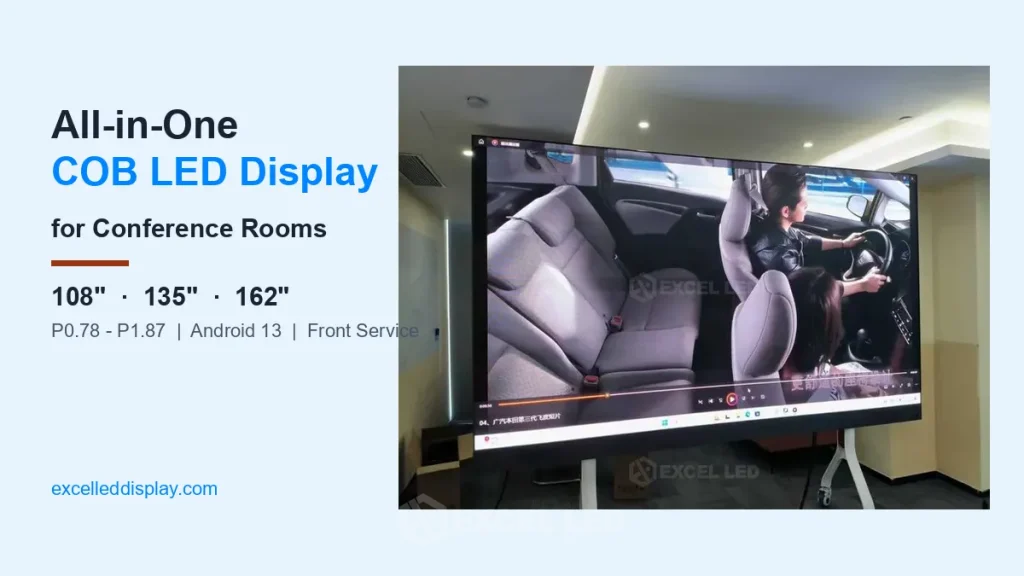
All-in-One LED Display for Conference Rooms
Full Flip-Chip COB · 108″ / 135″ / 162″ · P0.78–P1.87 · Android 13 · Front Service
One screen that replaces the projector, the projector screen and the video wall integrator — ultra-slim flip-chip COB all-in-one LED display with built-in Android, wireless casting and speakers, supplied by Excel LED, a trusted LED display manufacturer for global B2B system integrators.
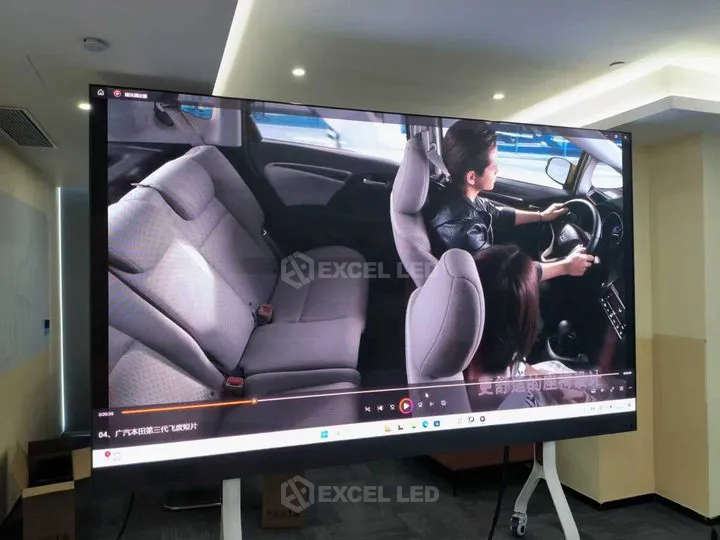
All-in-One LED Display: The Short Version
What is it? An all-in-one LED display from Excel LED: flip-chip COB video wall, Android system, speakers and stand.
Sizes? 108″ / 135″ / 162″, pitches P0.78–P1.87. Native 4K? Yes at 135″ P0.78 and 162″ P0.93 (3840×2160).
Best for: boardrooms and briefing rooms, 6–30 people at 2.5–10 m. Not for: outdoor or custom-shape walls (Mini COB series).
What Is an All-in-One COB LED Display for Conference Rooms?
An all-in-one LED display is a factory-integrated meeting screen: fine-pitch LED cabinets, a control system, an operating system, audio and a stand arrive as one product instead of as components for an integrator to assemble on site. You get projector-class image size with TV-class setup simplicity — the screen ships assembled on its stand, and commissioning is a power cable and a Wi-Fi login.
The display panel itself uses full flip-chip COB (Chip-on-Board) packaging, where LED chips are mounted directly onto the PCB and encapsulated as one continuous surface. Compared with individual SMD packages, COB gives a smoother, glare-free surface, better contrast and much higher resistance to impact, dust and moisture — the reasons it has become the preferred technology for premium COB LED screen projects. Our conference room LED screen guide covers the wider selection logic if you are still comparing technologies.
This product line exists because mid-size and large meeting rooms sit in a gap: LCD flat panels top out around 98″, and building a fine-pitch LED video wall normally means custom steelwork, an external controller and on-site configuration. The all-in-one format closes that gap: three standard sizes and five pitches make this the practical conference room LED display for mid-size and large spaces, all built from the same 600×337.5 mm die-cast COB cabinet.
Why Meeting Rooms Choose COB All-in-One Over SMD and LCD Panels
Three technologies compete for the large meeting room. Each fails in a different way, and understanding the failure modes matters more than any single spec. This comparison reflects our engineering practice with all three product types.
| Decision Factor | All-in-One COB LED — Recommended | SMD Fine-Pitch LED | LCD Flat Panel (98″ class) |
|---|---|---|---|
| Seamless large image | Yes — to 162″ and larger | Yes — needs integrator build | No — stops near 98″ |
| Surface durability | High — encapsulated COB layer | Exposed SMD lamps can shear off | Glass panel, crack-prone in transit |
| Close-up viewing comfort | Glare-free, no graininess at P0.78–P1.25 | Visible grain under 2 m on larger pitches | Good at panel size |
| Installation | One crew, mobile stand or wall mount | Steel structure + on-site config | One crew, but size capped |
| System built in | Android + casting + speakers | External processor needed | Built in |
| Best for | Boardrooms, briefing centers 108″–162″ | Custom video walls, control rooms | Huddles rooms under 98″ |
Who should still choose SMD cabinets? Projects that need non-standard screen shapes, mixed indoor/outdoor edges or spares pooling across many screens — a loose-cabinet build such as the Uni Series remains the right tool there. Who should stay with LCD? Rooms under 10 people sitting within 3 m of a 75″–86″ panel rarely need LED at all. The all-in-one COB format wins specifically in the 108″–162″, 10–30 person range.
Ultra-Slim Die-Cast Aluminum LED Display: 35.5 mm Thin, 4 kg per Cabinet
The pain it solves: conventional fine-pitch LED walls need a steel support frame, and the screen itself looks like an engineering project rather than office furniture. In a boardroom, that bulk is exactly what management rejects.
Each 600×337.5 mm cabinet is die-cast aluminum, only about 35.5 mm deep and roughly 4 kg per cabinet (confirmed). The complete 108″ screen uses 16 cabinets (4×4) and weighs in the region of 64 kg excluding the stand — light enough that a two-person team handles installation without machinery for wall-mount builds. Because the body is so slim, the finished screen reads as a slim appliance, not a video wall.

Need the same 600×337.5 mm COB cabinet as loose cabinets for a custom video wall instead? That is exactly what the Mini COB LED display series offers — same cabinet platform, sold per cabinet for integrator builds.
Flip-Chip COB Real-Pixel Panel: 600 nit, 3840 Hz, 20000:1 Contrast for Conference Rooms
The pain it solves: SMD-based fine-pitch screens show visible pixel grain and surface glare when colleagues sit close, and exposed lamp beads fail after repeated contact during cleaning or moves.
This line uses full flip-chip COB packaging with real-pixel (non-virtual) scan design on every model, driven by FM6569Q driver ICs. The optical numbers from the specification are: 600 nit white-balance brightness, refresh rate ≥3840 Hz, contrast 20000:1, ≥14 bit grayscale and a 3000–15000 K adjustable color temperature (all confirmed). In a meeting room, what these translate to is: text stays sharp when the camera zooms into a spreadsheet, the screen does not flicker on video calls, and dark video conference backgrounds do not wash out.
600 nit is calibrated for indoor ambient light, not direct sun. In our engineering practice this covers typical office lighting up to glass-walled rooms with blinds; for lobby walls hit by direct afternoon sun, a fixed high-brightness outdoor-rated wall is the better category. Viewing angles are 175° horizontal and 175° vertical, so side-seat participants see accurate color rather than a dimmed image, and the LEDs are rated for 200,000 hours of use (confirmed).


Android 13 Smart System with Wireless Casting From Any Laptop
The pain it solves: classic LED walls need a separate media player, a crate of cables and an IT call every time someone changes meeting-room hardware.
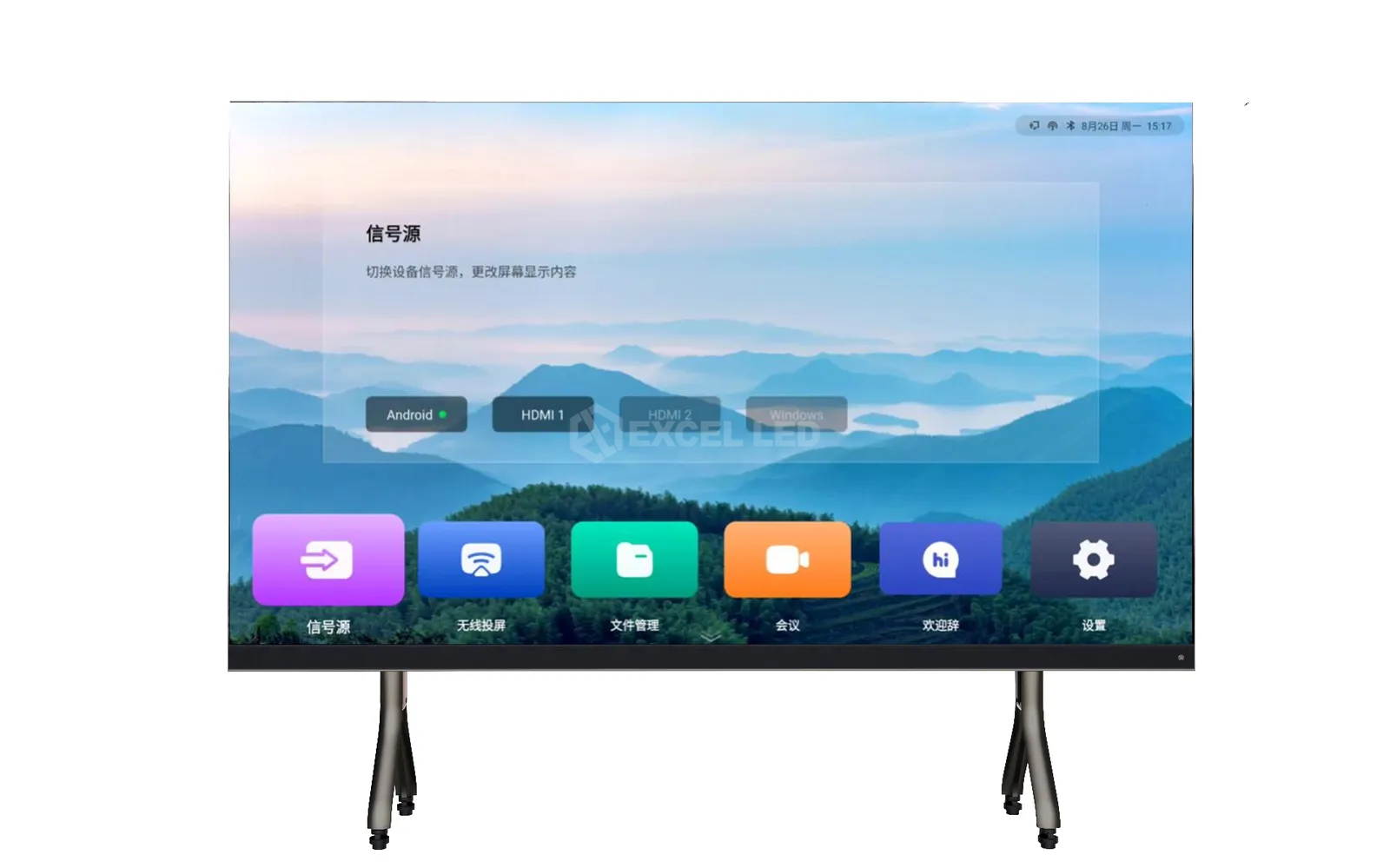
The integrated MEE410 (Android 13) or MEE210 (Android 11) system boots to a custom launcher with screen sharing, file management and conferencing apps, and third-party Android apps can be installed. Any participant casts from Windows, iOS, macOS or Android over the network to the all-in-one LED screen. Video decoding is hardware-accelerated H.264/H.265 at 4K@60Hz, so 4K product videos and camera feeds play without stutter. Brightness, volume, source and power are also duplicated on physical buttons at the bottom edge, with a blue/red status LED — so the screen still works on days when the network does not (all confirmed).
Color temperature, hue and saturation are user-adjustable, which matters more than it sounds: finance teams can calibrate a neutral white for charts, while showrooms push saturation for brand video loops. For rooms that need a full Windows PC, the 162″ P0.78 configuration ships with an H5 Windows-based controller (CPU and memory configured per project) — see the MEE410 vs MEE210 comparison below for the full breakdown.
108 vs 135 vs 162 Inch All-in-One LED Display: Which Fits Your Room?
All three sizes share the same cabinet, optics and system options — the real decision is room size and seating count. The table below shows the physical envelope including the mobile stand, because that is what has to fit through the door and behind the table (dimensions confirmed).
| Item | 108″ Model | 135″ Model | 162″ Model |
|---|---|---|---|
| Display size | 2400 × 1350 mm | 3000 × 1687.5 mm | 3600 × 2025 mm |
| Size with mobile stand | 2410 × 2070 mm | 3010 × 2408 mm | 3610 × 2745 mm |
| Cabinet layout | 4 × 4 = 16 cabinets | 5 × 5 = 25 cabinets | 6 × 6 = 36 cabinets |
| Screen resolution @ P0.78 | 3072 × 1728 | 3840 × 2160 (native 4K) | 4608 × 2592 |
| Screen resolution @ P0.93 | 2560 × 1440 | 3200 × 1800 | 3840 × 2160 (native 4K) |
| Screen resolution @ P1.25 | 1920 × 1080 | 2400 × 1350 | 2880 × 1620 |
| Suits rooms of about | 6–12 people | 12–20 people | 20–30 people |
Room-size guidance is a typical scenario based on our project experience, not a hard rule; final selection should match your seating layout and viewing distance.

To see what a meeting-room-scale LED screen looks like in a real room, here is a 3.5 × 2.5 m meeting room screen project from our group’s installation team — the same cabinet-to-cabinet seamless logic this all-in-one ships with:
Full Specifications of the All-in-One Conference LED Display
Every configuration shares the panel architecture below; the columns are the five pixel pitches. Values are confirmed against the product specification documents (V1.0, May 2025) unless marked otherwise.
| Parameter | P0.78 | P0.93 | P1.25 | P1.56 | P1.87 |
|---|---|---|---|---|---|
| Packaging | Full flip-chip COB, real pixel | ||||
| Module size | 150 × 168.75 mm | 300 × 168.75 mm | |||
| Cabinet size | 600 × 337.5 × 35.5 mm, die-cast aluminum, ≈4 kg | ||||
| Scan mode | 1/54 | 1/54 | 1/120 | 1/108 | 1/90 |
| Driver IC | FM6569Q | ||||
| Resolution per m² | 1,638,400 px | 1,137,776 px | 640,000 px | 409,600 px | 285,511 px |
| White balance brightness | 600 nit | ||||
| Refresh rate | ≥3840 Hz | ||||
| Contrast ratio | 20000 : 1 | ||||
| Grayscale | ≥14 bit | ||||
| Color temperature | 3000–15000 K adjustable | ||||
| Viewing angle (H/V) | 175° / 175° | ||||
| LED lifetime | 200,000 h | ||||
| Audio | 2 × 15 W speakers | ||||
| Installation | Mobile stand or wall mount, front service with module hot-swap | ||||
| Input voltage | AC100–240 V, 50/60 Hz | ||||
| Operating temp / humidity | -10°C to +60°C, 10–90% RH | ||||
Need the numbers offline? Download the official 108-inch specification datasheet (PDF) — the factory document behind every value in the tables above; the user manual ships with each unit.
Maximum / Average Power by Size for the All-in-One LED Display
| Screen size | Max power (P0.78–P0.93 / P1.25–P1.56 / P1.87) | Average power (same pitch groups) |
|---|---|---|
| 108″ (16 cabinets) | ≈1200 / 1120 / 1040 W | ≈480 / 448 / 416 W |
| 135″ (25 cabinets) | To be confirmed (TBC) | To be confirmed (TBC) |
| 162″ (36 cabinets) | ≈2700 / 2520 / 2340 W | ≈1080 / 1008 / 936 W |
MEE410 vs MEE210: Which Meeting System Module Fits Your Room?
Two built-in system modules map to the pitch columns: P0.78 and P0.93 ship with the MEE410 (they drive more pixels), while P1.25–P1.87 ship with the MEE210. The 162″ P0.78 is the exception, pairing with a Windows-based H5 controller (confirmed).
| Item | MEE410 (P0.78 / P0.93) — Recommended | MEE210 (P1.25–P1.87) | H5 (162″ P0.78 only) |
|---|---|---|---|
| Operating system | Android 13 | Android 11 | Windows (per project) |
| CPU | Octa-core, 2.2 GHz | Quad-core, 1.8 GHz | Configured per project |
| GPU | Mali-G52 | Mali-G52 | Configured per project |
| RAM / storage | LPDDR4X 8 GB / 64 GB | LPDDR4X 4 GB / 32 GB | Configured per project |
| HDMI input | HDMI 2.0 | HDMI 1.3 | Per project |
| HDMI output | HDMI 2.0 (loop-out) | HDMI 1.3 | Per project |
| Network / USB | 1G RJ45, USB 2.0 + USB 3.0 | 1G RJ45, USB 2.0 | Per project |
| Audio out | Optical digital + 3.5 mm | Optical digital + 3.5 mm | Per project |
| Best for | 4K-class content, video walls doubled as monitor arrays | Standard 1080p-class meeting content | Rooms standardized on Windows PCs |
Which should you choose? For most buyers the decision is made by the pitch you need: pick P0.78/P0.93 for close viewing or native 4K and you get the stronger MEE410 automatically; pick P1.25–P1.87 for longer viewing distances and the MEE210 covers it. The H5 Windows route makes sense when your AV standard requires domain-joined Windows devices or specific Windows-only conferencing stacks. Both Android modules accept third-party apps, so Zoom-, Teams- or Webex-style Android clients can be added — verify the exact client version with us for your deployment.
All-in-One LED Display Installation: Front Service, Mobile Stand or Wall Mount
The pain it solves: traditional LED walls reserve rear access corridors behind the screen, wasting floor space that meeting rooms do not have — and any module change meant calling the integrator back.
This line is front-service only by design: modules attach magnetically and are removed with a suction cup through the front, with hot-swap support, so a single technician services the screen from inside the room. Cabinets mount front or rear onto the stand or wall bracket with fool-proof connectors, and main power and network cabling enters from the bottom, top or rear — hidden from view either way (confirmed).
- Position and fix the stand (or wall bracket) and verify it is plumb against the mounting plane.
- Hang and lock cabinets row by row, fastening the four-side screws, then install the front connection plates.
- Route power and network — main power and main network lines enter from cabinet bottom/top or rear.
- Mount the COB modules with the suction cup tool, wearing anti-static gloves, then power on and run the built-in test patterns.

The magnetic module handling described above looks like this in practice — modules attach and release through the front with a suction tool, no rear access required:
Troubleshooting at a Glance: All-in-One LED Display (MEE410 / MEE210)
Most meeting-room issues are resolved in minutes without a technician. The checks below follow the product architecture; anything not resolved by them goes to our support team with a photo of the indicator LED.
| Symptom | First checks | Fix path |
|---|---|---|
| No signal | Press SOURCE on the bottom button panel and confirm the laptop output is set to extend/duplicate; reseat the HDMI cable. | Reselect the input source; try another HDMI port or cable. |
| Wireless casting fails | Confirm the laptop/phone is on the same network segment as the screen; reopen the casting app in the launcher. | Reconnect Wi-Fi, restart the casting app, then re-pair. |
| One area dark or dead pixels | Run the built-in test patterns to locate the affected module. | Front-service hot-swap: replace the module from the front with the suction tool — no rear access needed. |
| No audio | Check VOL+/− buttons; confirm the correct audio output (internal speakers, 3.5 mm or optical) is selected. | Switch audio output in settings; verify external amplifier cabling if used. |
| Screen will not power on | Verify mains supply and breaker; confirm inlet voltage is within AC100–240 V; check the status LED (blue = on, red = standby). | Restore power at the breaker; if the LED stays dark, contact support. |
Where This Conference Room Screen Works Best
Boardrooms & Executive Briefing
108″–135″ with P0.93–P1.25 keeps spreadsheets legible from the far end of the table, with casting from any laptop in the room.
Government & Public Sector
135″–162″ briefing rooms gain a seamless, glare-free image for policy video and GIS dashboards, with front service removing the rear maintenance corridor.
Banking & Finance
20000:1 contrast and adjustable color temperature render charts accurately; the encapsulated COB surface survives daily cleaning in client-facing rooms.
Training & Education
162″ covers lecture-scale rooms; 600 nit holds up under classroom lighting, and the mobile stand moves the screen between rooms.
These scenarios sit inside our wider indoor COB LED screen family: the Cni Series and Ehonor Pro Max Series cover fine-pitch fixed walls for control rooms and studios, while this all-in-one line covers turnkey meeting spaces.
When You Should NOT Choose This All-in-One LED Display
We would rather lose an order than put the wrong product in your room. Four situations where this line is the wrong answer:
- Outdoor or semi-outdoor rooms. 600 nit and an indoor operating envelope are calibrated for controlled light. Sun-facing lobbies and outdoor terraces need a high-brightness outdoor display instead.
- Custom screen shapes or non-16:9 walls. The three sizes are fixed. For curved, column-wrapped or non-standard aspect builds, start from the loose-cabinet Mini COB series and design the wall per project.
- Rental and staging use. Frequent truck-loading and rigging need rental-specific cabinets with fast-rig locks — see the Aeroframe rental series.
- Budget-driven rooms under 10 people. If a 75″–86″ LCD panel covers your seating geometry, it remains the cheaper tool. LED earns its premium from roughly 108″ upward.
How to Choose Pixel Pitch and Size for Your Conference Room
Pixel pitch decides how close the nearest viewer can sit before seeing pixel structure. A common planning rule used across the LED industry is: minimum comfortable viewing distance in meters ≈ pixel pitch in millimeters. For example, P0.93 supports viewers from about 1 m, P1.25 from about 1.3 m, and P1.87 from about 1.9 m (illustrative rule of thumb for preliminary sizing). For detail-oriented work such as spreadsheets and CAD, the distance at which text stays crisp is roughly 2–3× that minimum; the AVIXA DISCAS standard offers a formal method for image-size and viewer-distance calculations (avixa.org/standards).
| Your situation | Recommended configuration |
|---|---|
| Boardroom, first row ≈2.5–3 m, 4K dashboards | 135″ @ P0.78 (native 4K, MEE410) or 108″ @ P0.93 |
| Mid-size briefing, first row ≈4 m, video-heavy | 135″ @ P1.25 or 162″ @ P0.93 (native 4K) |
| Large training / town-hall room, first row ≈5–6 m | 162″ @ P1.25–P1.56 |
| Tight budget, first row ≈4 m+, presentation slides | 108″ @ P1.56–P1.87 |
Pitch also sets the system module: P0.78/P0.93 include the stronger MEE410 (Android 13, 8 GB RAM), while P1.25–P1.87 include the MEE210 — so “finer pitch” buys image quality and a stronger built-in computer at once. If you are comparing pitches across our indoor range, the fine pitch LED display overview and the P1.8 indoor LED display page show how these classes compare in conventional wall builds.
One more question buyers always ask: how is this priced? There is no one-size price list — pixel pitch, screen size and system module drive the final number, so we quote per configuration. Sending the four room details above gets a line-item quotation instead of a ballpark figure.
Get Your Configuration & Quote
Tell us your room dimensions, seating count and nearest viewing distance — we’ll recommend size + pitch + system module and quote it factory-direct.
Frequently Asked Questions About All-in-One COB LED Displays
Q1What is an all-in-one LED display?
It is a factory-integrated product that combines a fine-pitch LED video wall, a control system, an Android-based smart module, speakers and a stand or wall mount in one unit. Unlike a component LED wall, it arrives ready to run: power it on, connect to the network and start casting. It is the LED equivalent of the large-format meeting appliance, available here in 108″, 135″ and 162″.
Q2How is a COB all-in-one LED display different from an LCD interactive flat panel?
Three practical differences. Size: LCD panels stop near 98″, while this LED line runs 108″–162″. Surface: COB has no exposed lamp beads and no glass layer, so it resists impact and glare differently from LCD glass. Brightness life: LED holds 600 nit with a 200,000-hour rating, while LCD panels typically lose brightness noticeably over years of meeting-room duty. LCD stays cheaper below 98″, which is why we recommend it for small rooms.
Q3Which pixel pitch should I choose for a meeting room?
Match pitch to the nearest viewer. As a common planning rule, minimum comfortable distance in meters roughly equals pitch in millimeters: P0.78–P0.93 for first rows from about 1–3 m, P1.25 for about 3–4 m, P1.56–P1.87 for 4 m and beyond. If viewers read spreadsheets or dense dashboards, add margin by choosing one pitch finer. Final sizing should reflect your seating drawing.
Q4Can the 135-inch model really show native 4K?
Yes, at P0.78. The 135″ display area is 3000×1687.5 mm; divided by a 0.78 mm pitch this yields 3840×2160 physical pixels — exactly the 4K UHD standard, with no scaling. The same is true of the 162″ at P0.93. At coarser pitches the resolution decreases accordingly: 135″ @ P1.25 is 2400×1350.
Q5Does it support wireless screen sharing from laptops and phones?
Yes. The built-in system supports wireless casting from Windows, iOS, macOS and Android devices over the network, launched from the home screen. Wired connections are also available through the HDMI input (HDMI 2.0 on the MEE410, HDMI 1.3 on the MEE210). H.264/H.265 hardware decoding handles 4K@60Hz video sources smoothly.
Q6What is the difference between MEE410 and MEE210?
MEE410 runs Android 13 on an octa-core 2.2 GHz CPU with 8 GB RAM and 64 GB storage, plus HDMI 2.0 and USB 3.0. MEE210 runs Android 11 on a quad-core 1.8 GHz CPU with 4 GB RAM and 32 GB storage, plus HDMI 1.3 and USB 2.0. P0.78 and P0.93 configurations ship with the MEE410 because finer pitches drive more pixels; P1.25–P1.87 ship with the MEE210.
Q7Can I run Windows on this screen?
The 162″ P0.78 configuration offers an H5 Windows-based controller, with CPU, memory and storage configured per project — tell us your AV standard and we configure it. On the Android models, you can add third-party Android apps to the launcher, or connect an external mini-PC through HDMI if you prefer to keep Windows on your own hardware.
Q8Is 600 nits bright enough for a bright office?
For typical office and meeting-room lighting, including glass-walled rooms with blinds, 600 nit is a comfortable working brightness in our project experience. What 600 nit does not cover is direct sunlight on the screen — sun-facing lobbies or outdoor-adjacent spaces need a high-brightness display class. The 3000–15000 K color temperature adjustment also lets you tune comfort for long sessions.
Q9How is the screen maintained — is there a service manual or download?
Front service only: modules are magnetic and removed from the front with a suction cup, supporting hot-swap, so no rear corridor is needed. A single technician can replace a module from inside the room. Cabinets themselves are die-cast aluminum with fool-proof connectors; cleaning uses a soft lint-free cloth with water, and the encapsulated COB surface tolerates contact that would damage exposed SMD lamps. The user manual covering module replacement ships with each unit.
Q10How many cabinets does each size use, and can it be wall-mounted?
The three sizes use 16, 25 and 36 cabinets respectively (600×337.5 mm each). Both installation modes are supported on every size. Wall mounting fixes cabinets onto a mounting frame with front or rear attachment; mobile-stand builds include the floor stand shown in the dimensions drawing (for example 2410×2070 mm including stand for the 108″). Wall builds need the wall’s load capacity confirmed by your facilities team; stand builds are portable between rooms.
Q11What warranty and lifetime should I expect?
The LED components are rated for 200,000 hours of use. Excel LED supplies with a 2-year manufacturer warranty as standard company terms, covering LED, driver IC and power-supply faults, with extended warranty options available for enterprise deployments — ask for the warranty terms sheet with your quotation. The encapsulated COB construction specifically protects against the impact and moisture failures that shorten life in busy meeting rooms.
Q12How much does it cost, how do I configure it, and what is the lead time?
Cost is configured per room: size, pixel pitch and system module set the price, so there is no flat rate. Send your room dimensions, seating count and nearest viewing distance through the inquiry form, and we return a configured recommendation (size + pitch + system module) with factory-direct pricing. Standard configurations typically ship in 15–25 working days depending on order size (final lead time confirmed with your quotation); shipping time varies by destination. Custom configurations such as the H5 Windows build are quoted per project.
The All-in-One COB LED Display for Your Conference Room: One Screen, One Meeting, Zero Integrators
The all-in-one COB LED display compresses a fine-pitch video wall project into a meeting-room appliance: flip-chip COB optics from P0.78 to P1.87, Android smart system with wireless casting from any device, front service without a rear corridor, and three sizes from 108″ to 162″ — all built on the same 600×337.5 mm die-cast cabinet platform as our Mini COB cabinets. For conventional fine-pitch walls, control rooms and studio projects, the same technology is available as component cabinets; for factory background and manufacturing capability, visit our group site LEGIDATECH Official Website.
Related reading: LED Screen for Conference Room · Fine Pitch LED Display · CPS Pro Max Series